Grassroots CoachCoaching workspace for grassroots football

Mobile Companion

Run training and matchday from your pocket.

Check your schedule, run training and manage matchday from a focused mobile experience connected to your Grassroots Coach team.

No download starts yet. Verified store links will replace these previews before launch.
Grassroots CoachMobile Companion · Sample team
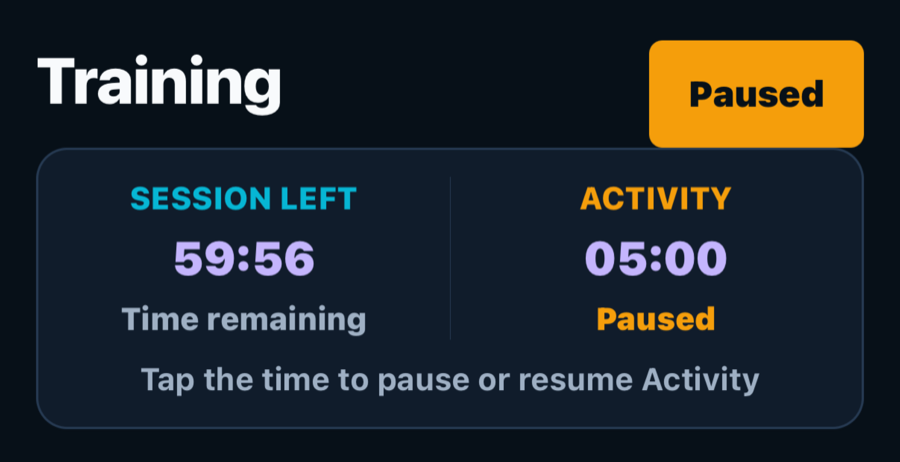
Grassroots Coach Mobile Companion running a fictional training session with session and activity time visible

Why it helps

A focused mobile experience for busy moments on the touchline.

The Mobile Companion puts the information you need most within easy reach. Review the plan before training, follow each activity, open the teamsheet and manage the match clock without carrying a laptop pitch-side.
Get the Companion

Choose your phone.

The store listings are not live yet. These preview links show where Apple and Android downloads will sit when public distribution opens.

No app download starts yet. We’ll replace these placeholders with the verified store listings before launch.

One team, two focused workspaces

Plan with room. Coach with focus.

The browser workspace and Mobile Companion stay connected, but each is shaped around a different part of your week.

Plan in the browser

Build the detail before you leave home.

Use the main coaching workspace for session planning, squad records, teamsheets, rotations, settings and the wider season view.

Coach in the Companion

Keep the next decision close on the touchline.

Use the focused mobile experience for the schedule, attendance checks, Training timers, the final teamsheet and live Matchday controls.

From preparation to recovery

From the first check to the final whistle.

Open the next task quickly, make the update you need and get back to coaching.

01

Before Training

Open the planned session, check attendance readiness, review ordered activities and saved drill-team groups, and use Availability Reminders when player responses are still outstanding.

02

During Training

Keep the full-session countdown and current activity timer in view. Pause, resume or adjust the activity time, move through the plan and confirm when training is complete.

03

Before Matchday

Use Schedule and Matchday preparation to confirm the fixture, squad and final teamsheet. Set period notifications and keep the teamsheet open while the match is underway.

04

Live Matchday

Start the right period, manage the match clock and record goals or cards for either team. At each period break, review planned changes in clear OFF and ON lists, then confirm before applying them.

05

After Training or Matchday

Review the match timeline and add a correction without losing the original record. If reception drops, Training shows whether completion is saved, waiting to sync or needs another try. A final confirmation also helps prevent accidental full time.

See the Companion in action

Quick, clear screens for training and matchday.

See the weekly schedule, active Training timers, a live Matchday line-up and the Matchday timeline in one focused mobile experience.

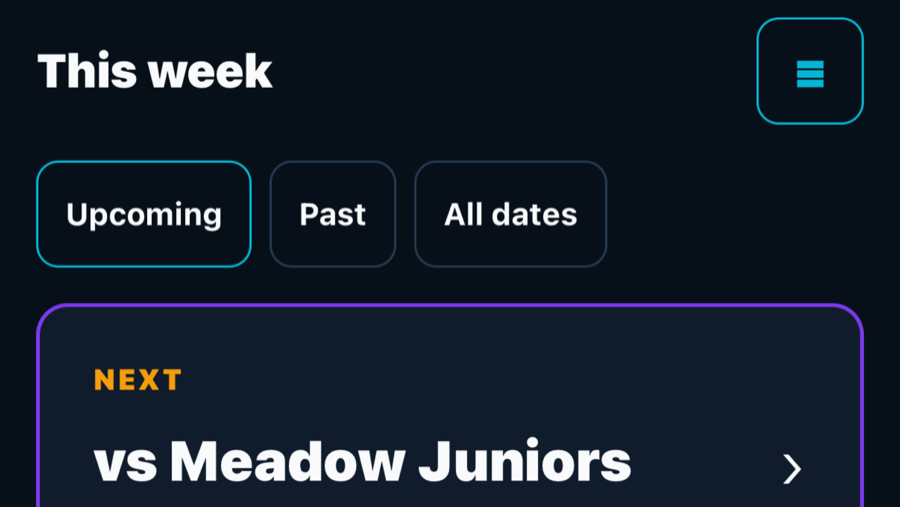
Grassroots Coach Mobile Companion schedule showing this week's filters and an upcoming fictional match
See the week and open the next fictional fixture.
Grassroots Coach Mobile Companion running a fictional training session with session and activity time visible
Keep the whole session and current activity time visible.
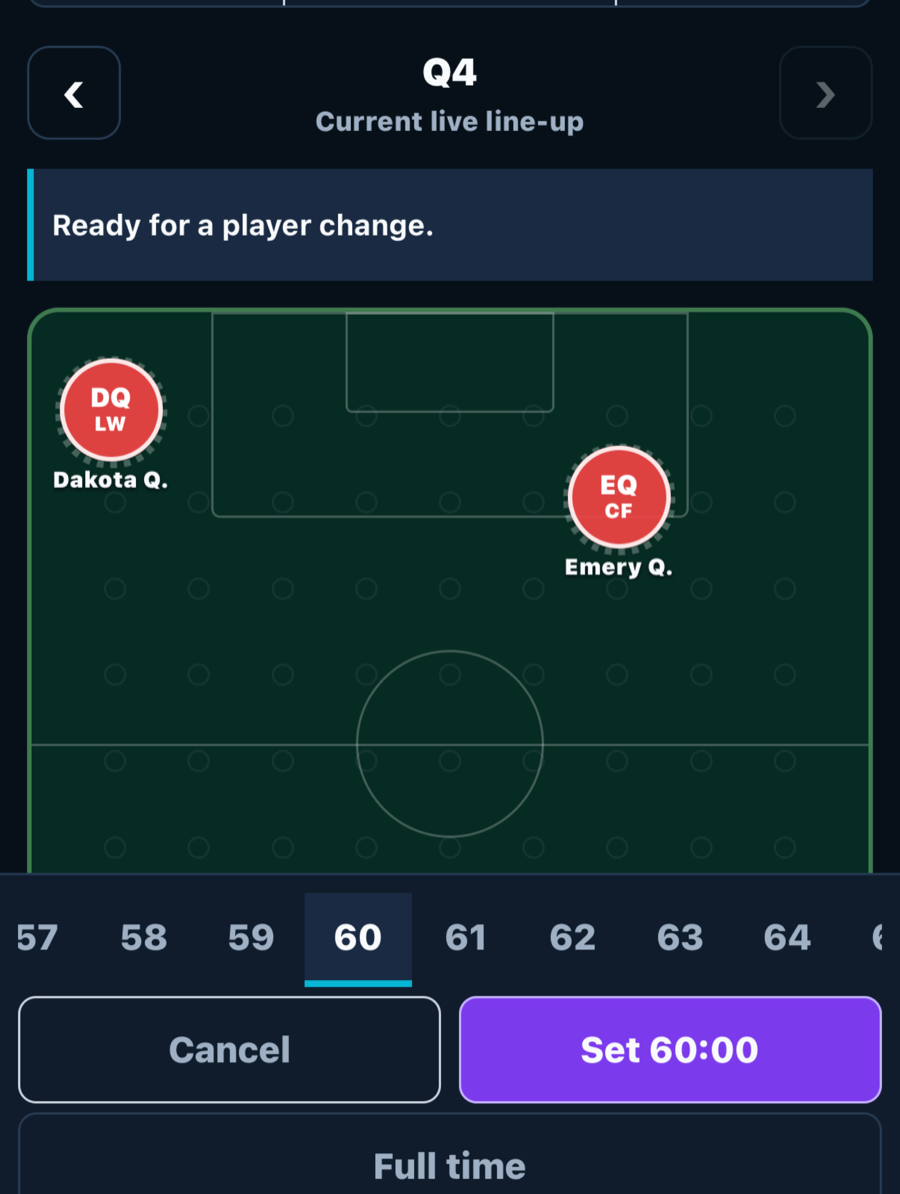
Grassroots Coach Mobile Companion live Matchday pitch showing a fictional team line-up with period and time controls
Keep the live line-up, period and time controls together.
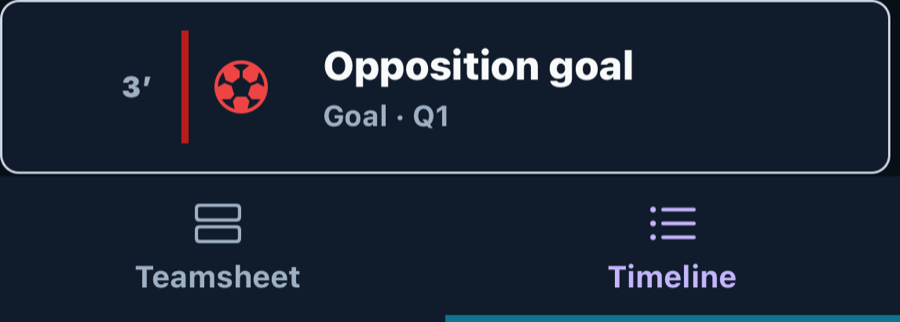
Grassroots Coach Mobile Companion Matchday timeline showing a fictional opposition goal and the selected Timeline tab
Review the Matchday timeline without leaving the live workflow.

What you get

Before Training: Review the plan, attendance state, saved drill teams, session duration and Availability Reminders when responses are still needed.

During Training: Follow the activity order, see activity and whole-session countdowns, pause or adjust time, and complete the session once.

Before Matchday: Open the fixture, confirm squad and final teamsheet readiness, and set period notifications.

Live Matchday: Start the correct period, keep the teamsheet available, record events, and adjust or control match time without leaving the live workflow.

When reception drops: See whether Training and Matchday updates are saved, waiting to sync or need another try.

Your preference: Choose Dark or Light appearance and keep that choice on your device.

Is the Companion the same as browser access?

No. Browser access gives you the full coaching workspace. The Mobile Companion is a separate, simpler experience for quick checks and live pitch-side tasks.

What happens when reception drops?

Information already saved on your device can still be viewed without a connection. Training and Matchday updates clearly show when they are saved, waiting to sync or need another try after you reconnect.

Does the Companion replace the main coaching workspace?

No. Use the main coaching workspace for detailed planning and account settings. Use the Companion for your schedule, training, matchday, players and quick account controls.

Try it against one real week.

Plan a session, build a teamsheet and record a match. Seven days free, with no card needed.