The coaching job
Team setup, secure downloads and account controls in one place.
Keep the choices that shape weekly coaching in Team Settings. Data download and account-deletion controls remain clear and deliberate.
 Grassroots CoachCoaching workspace for grassroots football
Team settings and data control
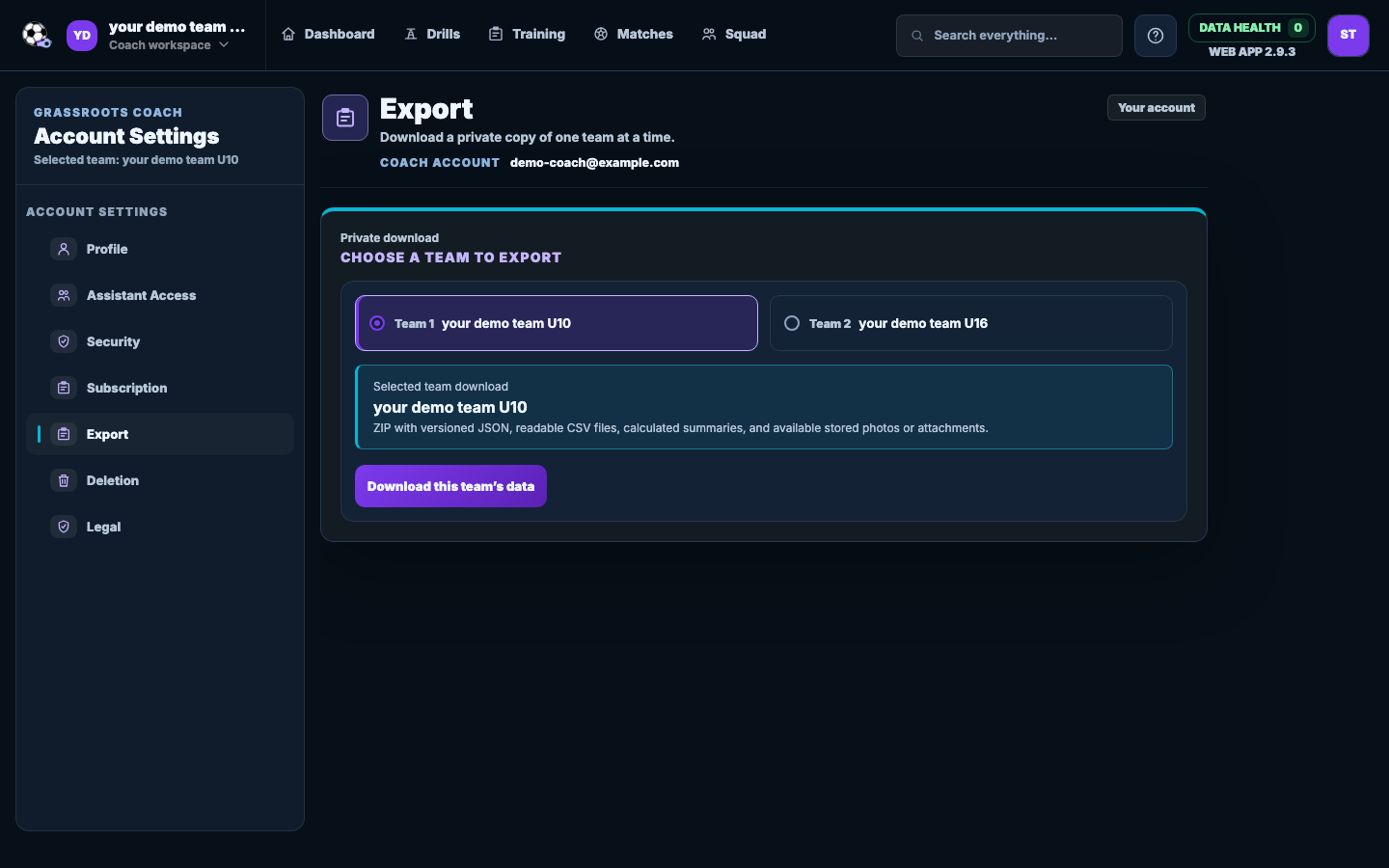
Manage the team, seasons and defaults, then download a secure copy of one selected team when you need it.
The coaching job
Keep the choices that shape weekly coaching in Team Settings. Data download and account-deletion controls remain clear and deliberate.
How it fits your week
Manage team details and seasons so sessions, fixtures and squad records sit in the right place.
Set tactics, formations and other team defaults you return to during the season.
Re-authenticate to download one selected team, or follow the confirmed account-deletion process.
What you get
Keep team details and weekly defaults in one place.
Structure the football year around the squad, sessions and fixtures.
Set the common formation and matchday preferences you return to.
Download one selected team in a secure ZIP after signing in again.
Find privacy, legal, subscription and deletion options together.
Coach questions
Yes. From Team Settings, the account owner can download one selected team after signing in again for security.
Yes. Account settings explain what will be deleted and ask you to confirm before the request is submitted.
Create your team and complete the next job. Every Ultimate feature is included for 7 days.
No card. No automatic charge.